Scaling database upgrades, migrations - 900+ clusters in near zero downtime
Database migrations, version upgrades, blue-green deployments, and lazy rolling upgrades across 900+ clusters with near zero downtime.
Hi folks,
This blog is going to be about the database migrations, version upgrades, how you could use blue green deployment, and a lazy version which will only use one staging/offline nodes or we can use alpha,beta and gama, which will save a lots of money in servers.
for the easier use of words I will use offline nodes, alpha-beta-gamma
Migration
Why do people need to upgrade databases? we can leave them as it is right?
Let me tell you some of the reasons, that might sound reasonable
- Version upgrades
- VLAN changes
- Machine/Kernel upgrades
And many more uncanny reasons like Changing table structures and character set too...
Of course in MySQL you might have to change the charactersets. Say an Application wants to change their whole data from utf_8_mb3 -> utf8_mb4
And for this blog I am going to consider only the major version upgrades.
Why do we need a major version?
Simple.
- More security
- More optimization
- More features
- Less pain to manage(I guess)
The goal is pretty much simple, we are going to migrate tons and tons of data from one version/VLAN to another, with Zero downtime, and even app teams won't know that it was happend.
Architechture
In general applications there are only 2 types of architechtures based on the replications,
- Fan-out replication
- Cascading replication
Fan-out replication is where the master is replicated from slave1, and slave2 at the same time.
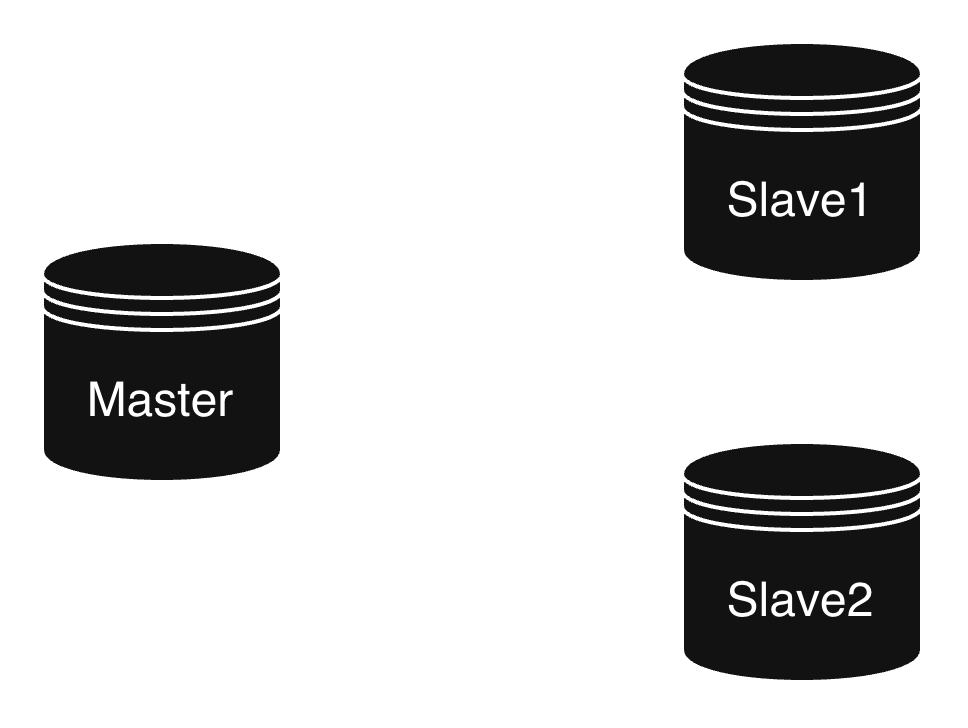
Mostly used architechture among the companies.
However, People still use Cascading replication too...
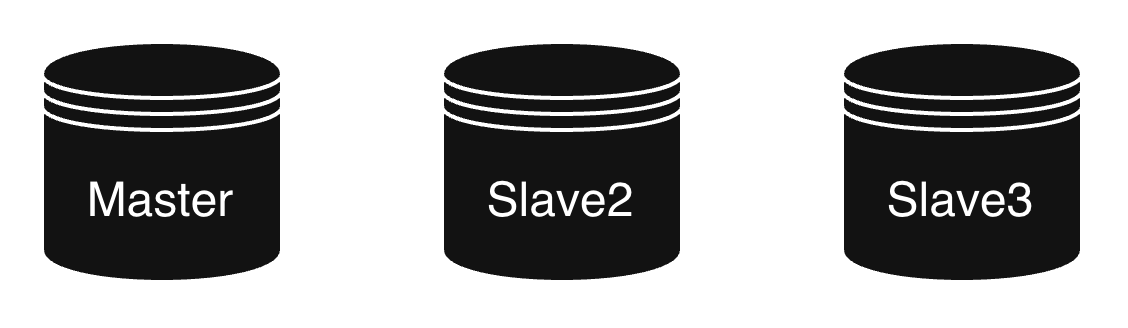
Each, have its own advantages and disadvantages, we don't want to talk about that for now, The blue green migration will mostly the same for both.
Why Blue-Green?
There are a few ways we can migrate the databases,
- Downtime migration (if postgres -> pg_upgrade)
- Rolling upgrade
And others.. here and there...
Downtime migration is not recommended, since it requires actual downtime of the application, so we can't accept that.
Rolling upgrade is OK for minor version upgrades and machine upgrades, though... It might help in most of the cases like major version upgrades and character set changes
What is Blue-Green?
Blue - The live production database, where the live traffic comes. And where the actual Virtual IP/Domain name have been binded(via a n.w interface). Generally it is mentioned as a region.
Green - Offline nodes which is getting replicated from the Blue region, especially from the master. ( We can also replicate from slaves, we should consider the replication lag)
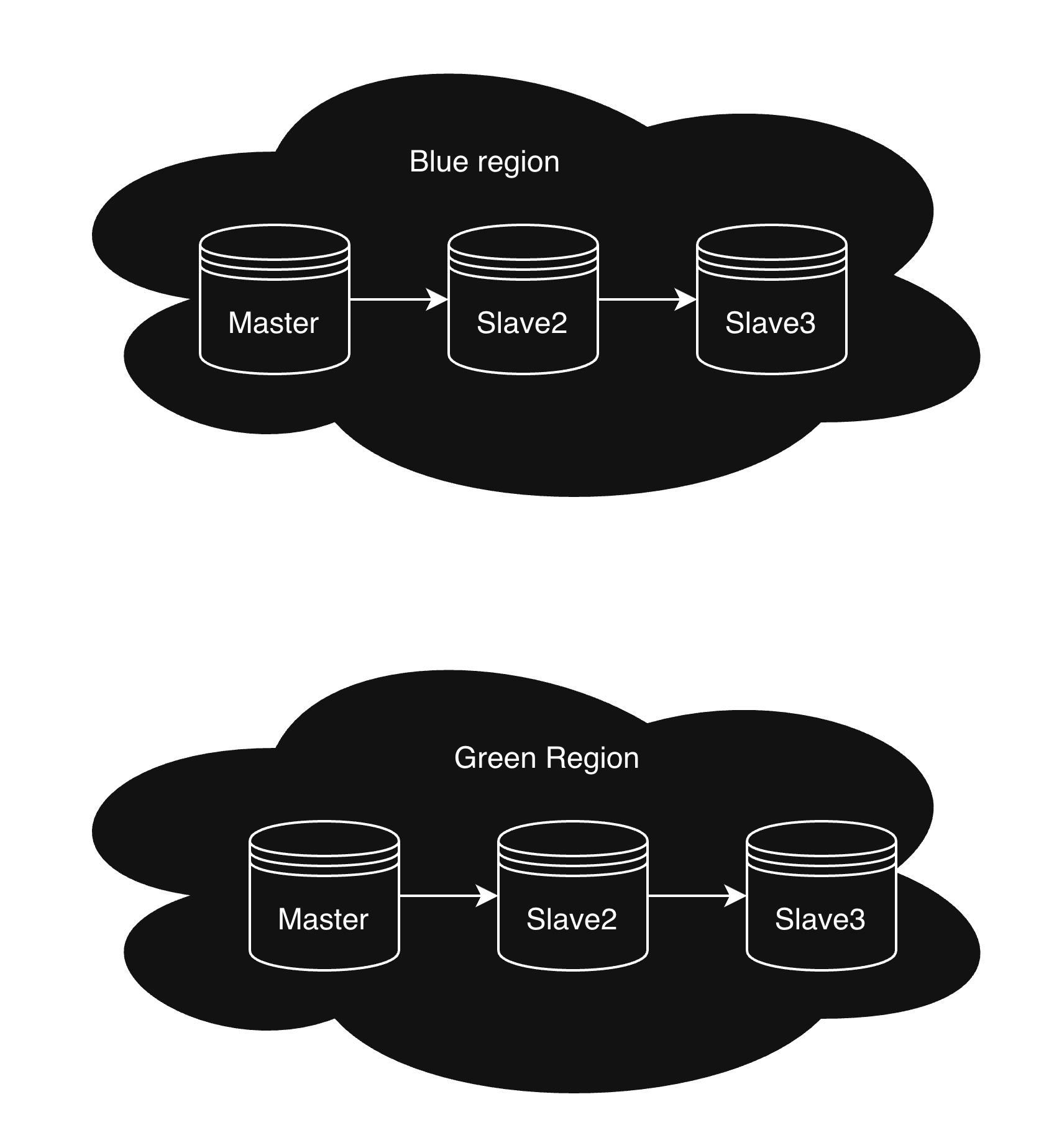
Step by Step process
Prerequisites
The prerequisites are pretty much simple, extra nodes... How many?
Currently for a normal 3 node architechture we need the same extra nodes.. i.e we need 3 extra nodes
but in sloppy/lazy blue green deployment we only just need 1 extra node, which is enough for the whole migration process
And if we are going for a newer versions, we might need the image/binaries for a newer version.
1. Data dump
At first we only have the Blue Region, i.e the live nodes. We need to find a way to take the data from the blue deployment to the Green deployment.
Currently Green deployment doesn't have any data in those nodes.
The easier way is to take the dump from the existing nodes. there are numerous ways to copy data from the existing nodes. but we need a exact consistent point.
Like a WAL(PostgreSQL) or binlog file and position(MySQL), so better we use a rsync to copy those data for the newer offline nodes.
Hack: The easy way is to make a consistent state, is to replicate the Slave to the offline node and cut-off the replication.
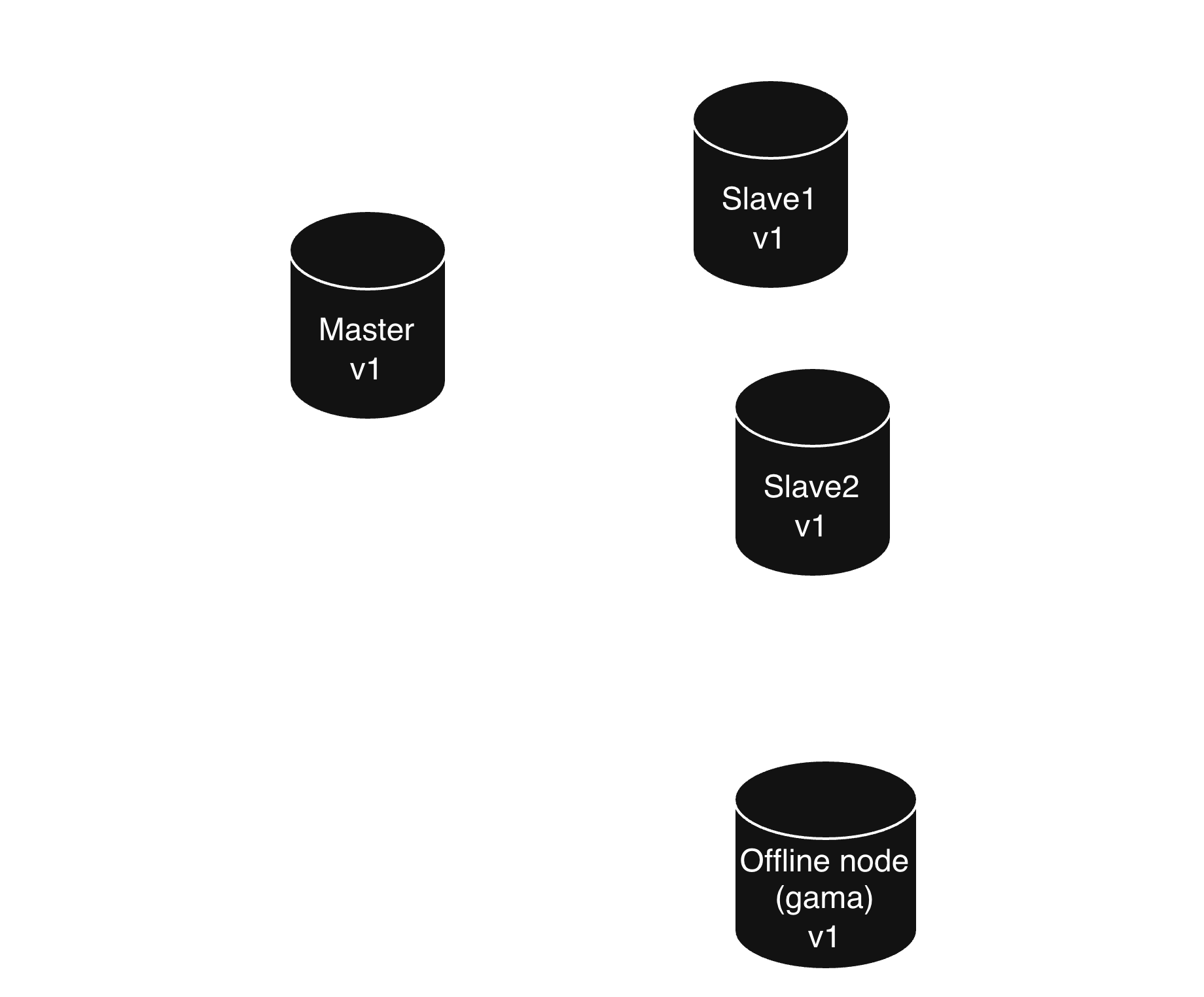
Okay, we have just took a consistent state from the Live nodes, Here if you clearly see the picture we have just took the data from the current version live node and replicated into the same version offline node.
2. CDC / Data transfer
This is the cool part, Now if we might wanna change the data a little bit like
- New Character set
- New data layout
- Change/edit columns
- New version data change
This is the best part where you can able to change the things however we want, basically this part can be given upto the application teams, if they wanted to do something before migration.
We just have to put a CDC to the Offline node to another offline node, Or if you don't want any change we can just copy the data. But here the data copy might be different when we are trying to create a new set of versions. Here we use logical data transfer.
If MySQL we use mysqldump,
If PostgreSQL we use pg_dump.
Based on the database we have to take dump , change and re-enter the data to the other offline node.
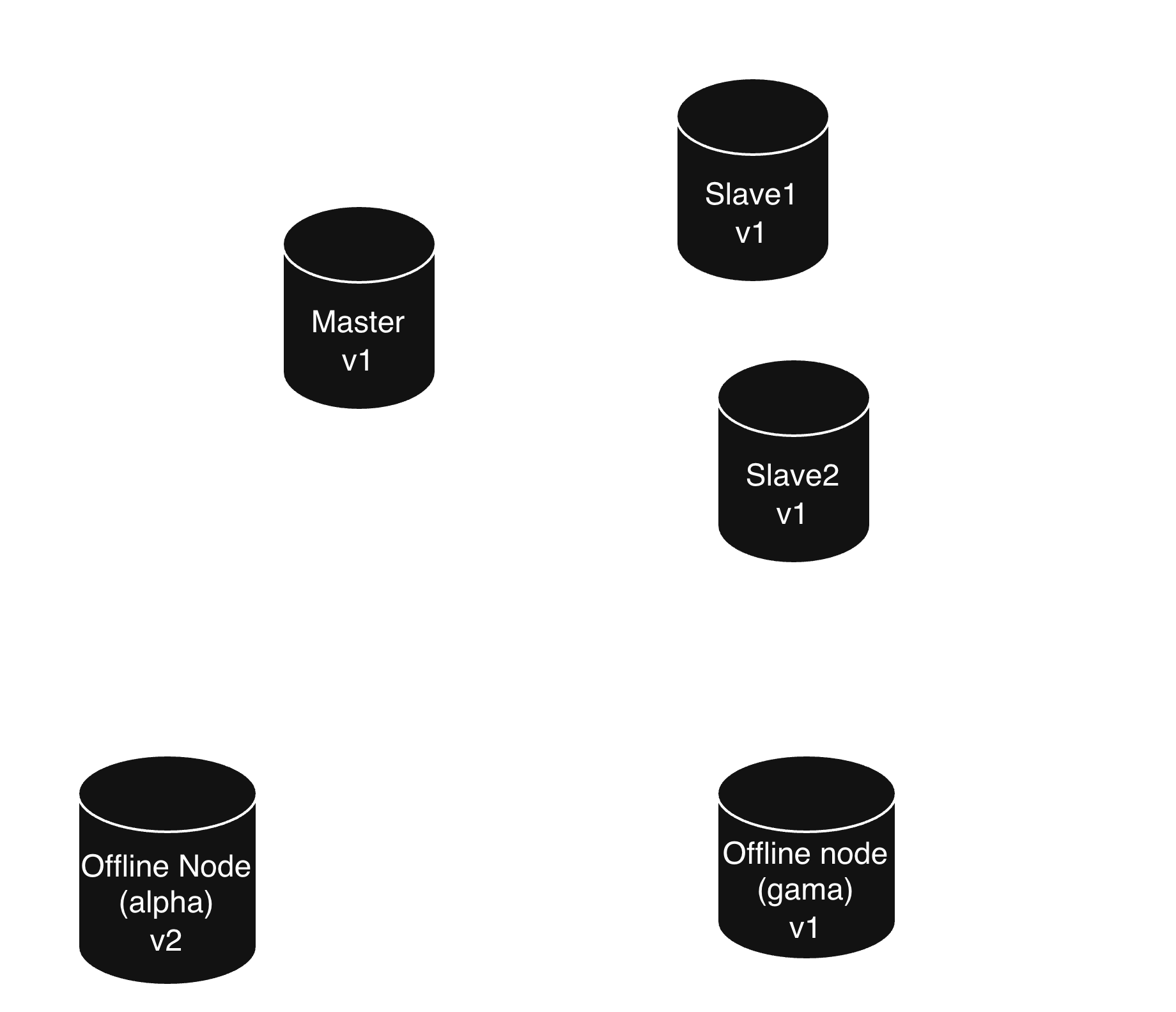
Wow that's cool, now we have done one of the hard part.
3. Live replication
Now we have done quite a setup of Green region, but the most important part needed to be done. The Live replication between the Blue region and the green region need to be done here.
Generally for version upgrades, Some of the databases support Major version replications, but most won't . For example
In MySQL there is some compatibility between major versions
In Postgres there is no compatibility, so in this case we have to go for logical replication.
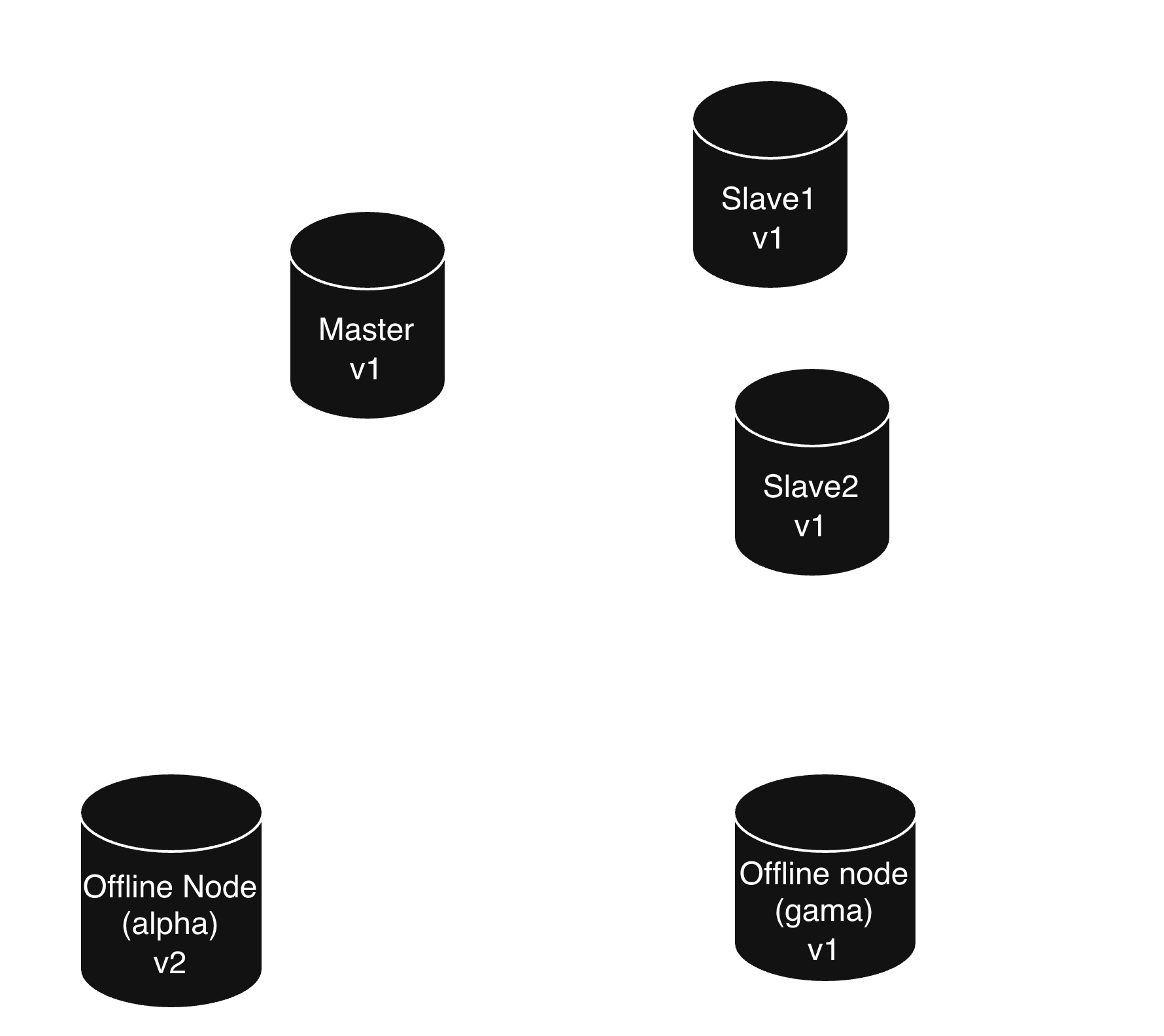
This is completely optional, it is your choice designing those, but either have advantages and disadvantages
Replication from Master
Advantages:
- There is minimal lag
- Faster for swapping blue green
Disadvantages:
- CPU/Memory constraints for new replica
Replication from Slave
Advantages:
- No pressure for master
Disadvantages:
- Lag might be introduced if we going for slave
We can choose either of those, but if we are going for real near zero downtime, we should go for replication from master, or we can afford some downtime we can go for replication from slave. In this case we are okay with the downtime, we can go from the slave.
4. Provision the rest
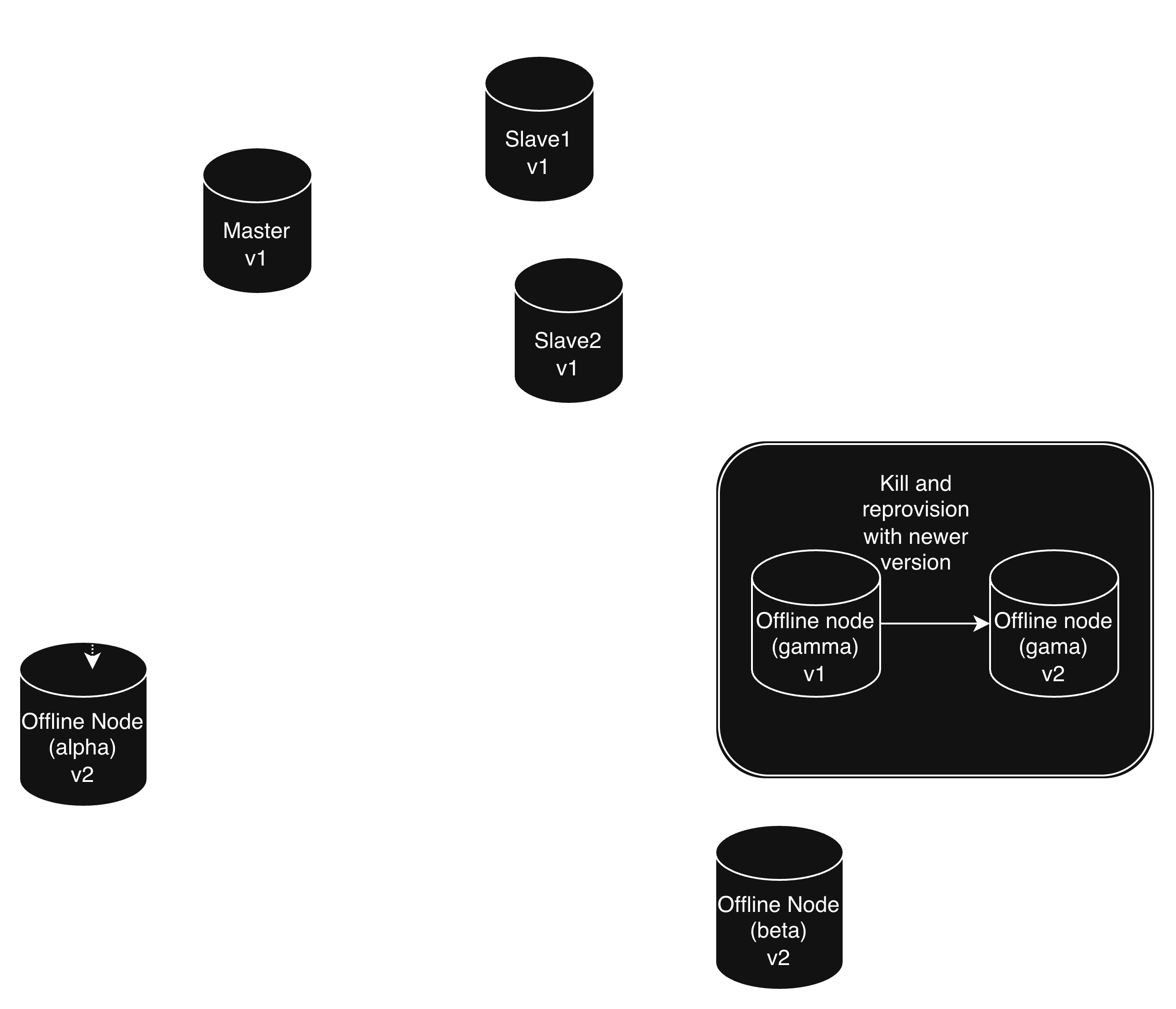
Now we have come to the final part, Here we can provision the rest of the offline nodes(beta and gamma), the third node(gamma) which can be removed and re-provisioned.
5. Swap the cluster
When there is non peak hours, we can just swap the writes with swapping the VIP(Virtual IP) or the domain. This is the most important step, a simple slip here will cause more downtime, make sure to have fallback logic.
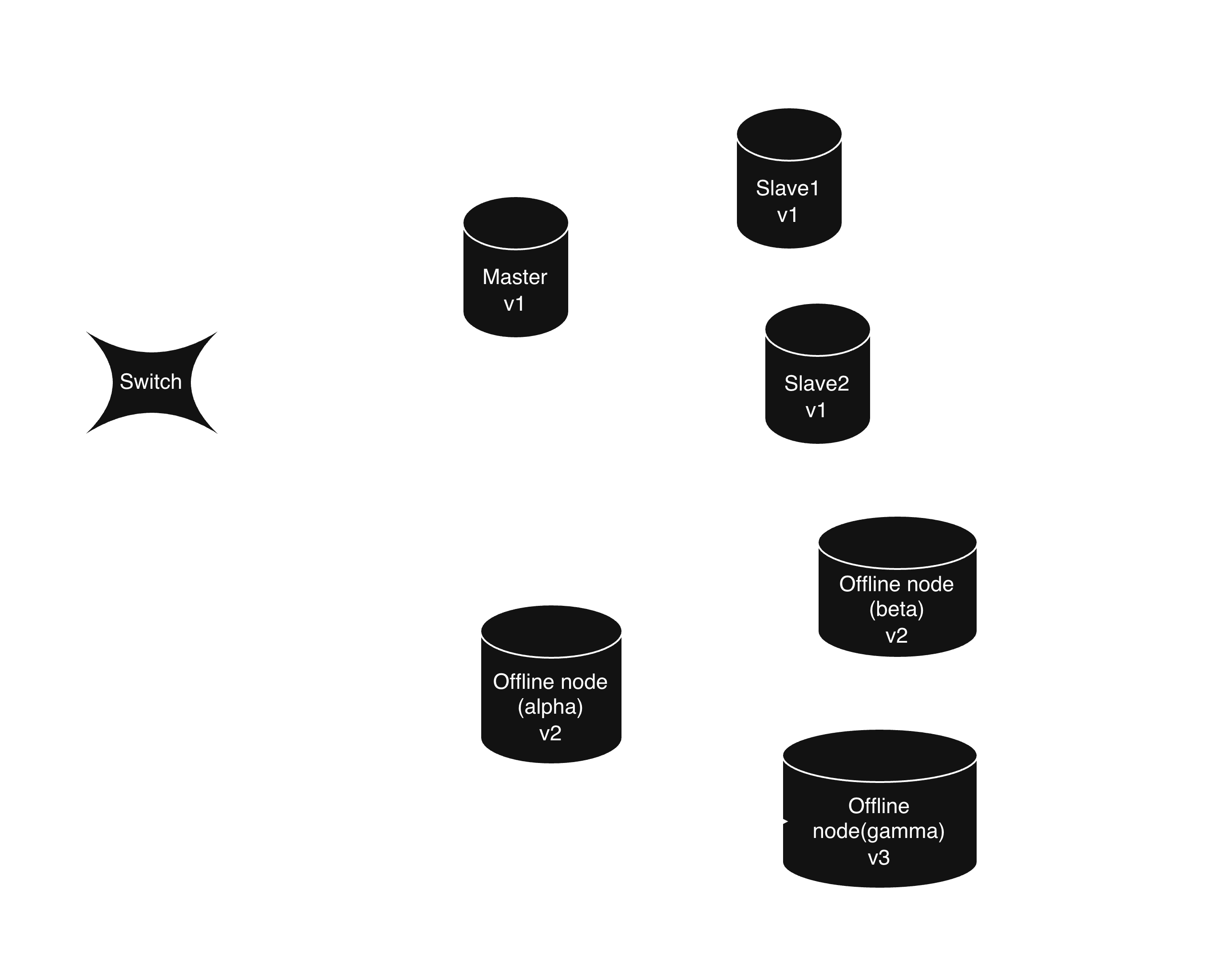
The switch is either a configuration change or any secondary data connection over connection pool.
Lazy/Sloppy Blue-Green
Here we only need one node. We can skip the step 1: Data dump, taking out the Slave and using it as Offline Node gamma.
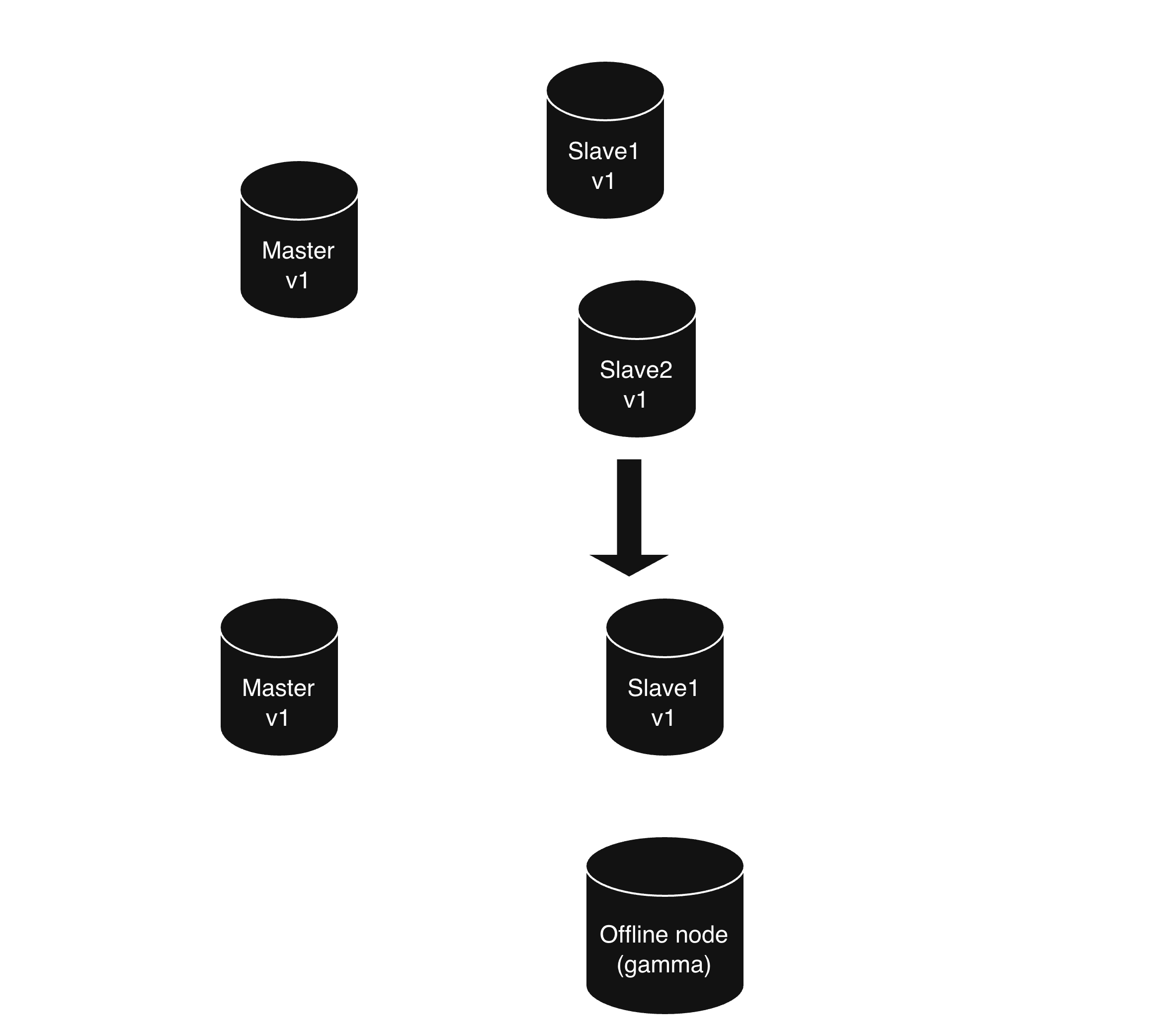
Here we are completely skipping the first step(Data dump) and making it as a source for the migration. Then the subsequent steps are the same, but with just two nodes.
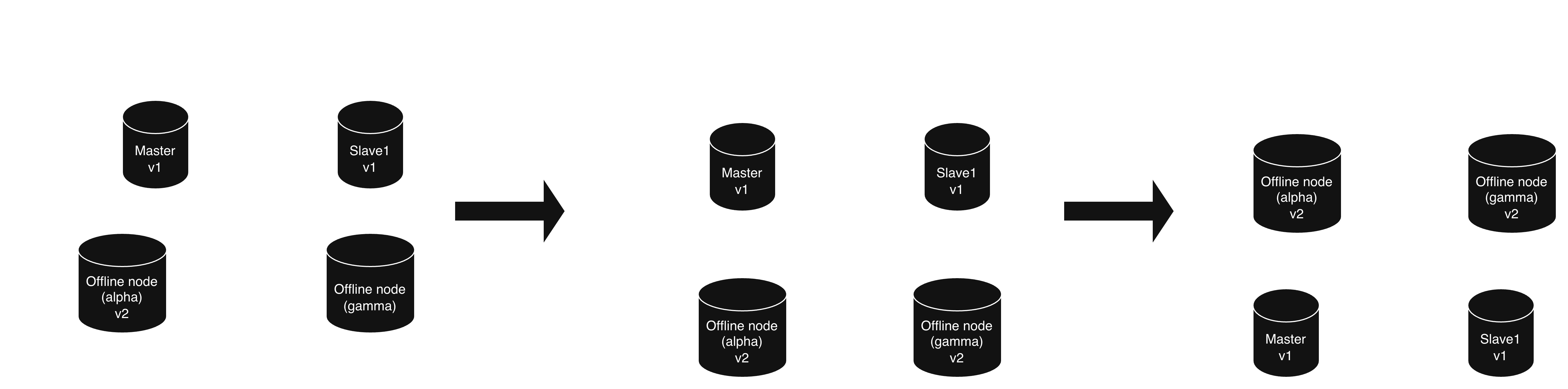
There are many consequences and advantages over this method,
- We take the data from the live replicating nodes, so there is a compromise in High availablity in online deployment
- Services which need high availablity can not go with this approach, since we are going with only 2 nodes
- Cost efficient
- Requires lesser time to finish the migration
Scaling 900+ clusters
Ok now we can able to scale only cluster, how about many clusters for many applications. Obviously we need more like an workflow.
My take would be easier to write on our own, or use some open source like Temporal.
There are three ways to write these types of workflows,
- Schedule
- Jobs
- Dynamic schedules
Schedule
To be honest a schedule is a overkill for this process. There is a two way context for schedules,
- A schedule for every cluster.
- A schedule for all clusters.
A schedule for every cluster
Each cluster has its own scheduled task that periodically checks whether an upgrade is due. Since database upgrades may happen only once every three months or even longer, these tasks will spend most of their time checking for work that doesn't exist. This creates unnecessary scheduling overhead.
A schedule for all clusters
A central scheduler periodically checks all clusters for pending upgrades and assigns migration work to available workers. Although this avoids maintaining individual schedules, it still requires periodically scanning clusters, even when nothing has changed.
For our use case, schedule-based execution alone feels like an overkill
Jobs
Job is a single work, done by worker nodes. It is just linear method to assign migrations for app servers and no state will be maintained
A job represents a single unit of work that needs to be executed by a worker.
When a migration request is created, it is added to a job queue. Available workers pick up jobs and execute migrations for the corresponding clusters.
Dynamic schedules
This is the perfect way of doing our things.
Instead of periodically checking every cluster, we maintain the state of each migration and trigger the next action when a relevant event occurs.
In simple, We just submit the job when we needed, then it will act as a schedule(checks the cluster state with intervals) with state, and whenever the job finished we remove that job.
For example:
- Data dump completed -> proceed to CDC/data transfer.
- Replication is healthy -> proceed to data corrupt check.
- Swap failed -> retry or wait for manual intervention.
This avoids unnecessary periodic checks and allows migrations to progress based on actual events and conditions.